Ebdaha for computer and repair shops
Sell devices and parts in an online store with full spec tables, and run the repair bench from intake ticket to invoice — one system for a shop that both sells and repairs.
Your first click creates your account; the computer-repair setup then turns on the store and the workshop tools together
A device and parts catalog sized to your shop
Every product carries its own spec table — processor, memory, storage, screen — so the customer compares and picks precisely.
- A spec table for every device and part: processor, memory, storage, screen
- Range filters on memory, storage, and screen size
- Device condition — new or used — shown plainly on the product
- A request-a-quote button for services; online orders are cash on delivery
From intake ticket to invoice
Every device entering the bench starts as an intake ticket, moves across a status board you watch, and ends as an invoice — no lost paper.
Device unlock codes stay encrypted
Every code is stored encrypted and appears only on request, each reveal logged in a separate record under the name of whoever opened it.
Quotes the customer approves personally
Share a link, your customer opens it and approves the quote from their side — nothing is sent automatically by the system.
- An intake ticket recording the customer device and its complaint
- A status board that arranges tickets by stage, from intake to handover
- Parts consumed come off your own store stock
- Assign a ticket to a technician and see who works on what
Inside the system
Real captures from the system running a demo shop with synthetic data — not mockups.

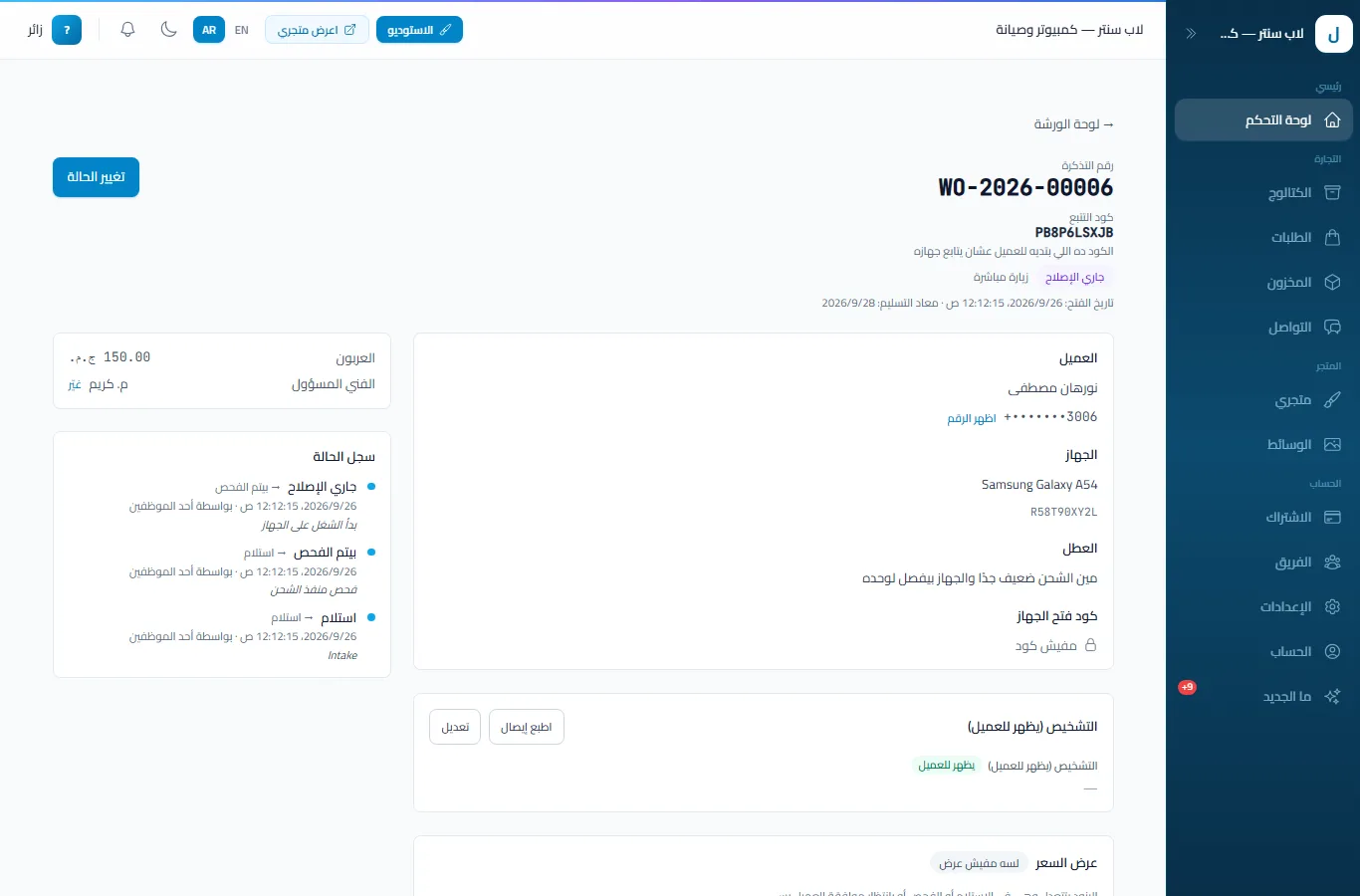
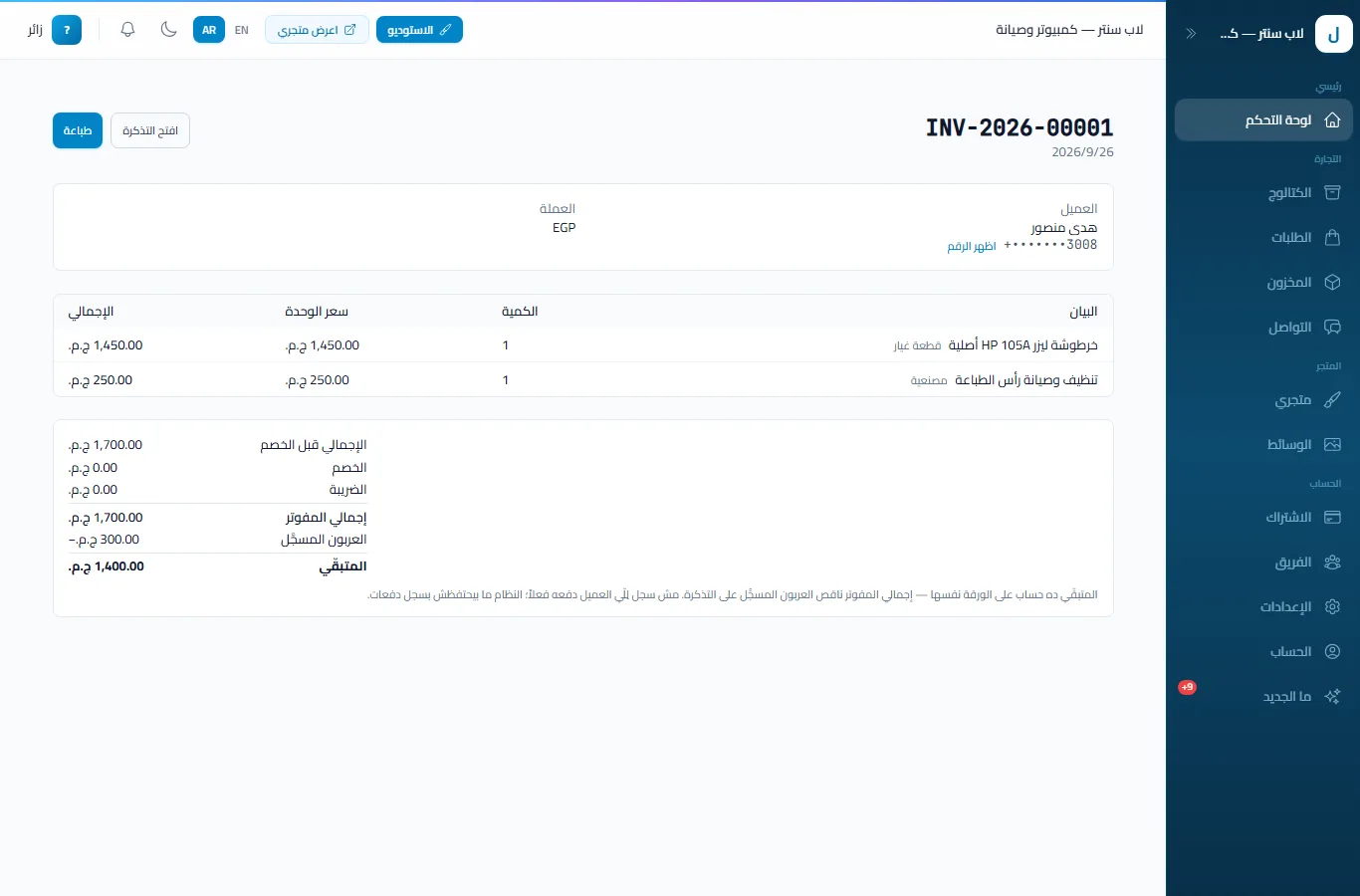
The captures show the Arabic UI; the dashboard also runs in English.
Your customer tracks the repair personally
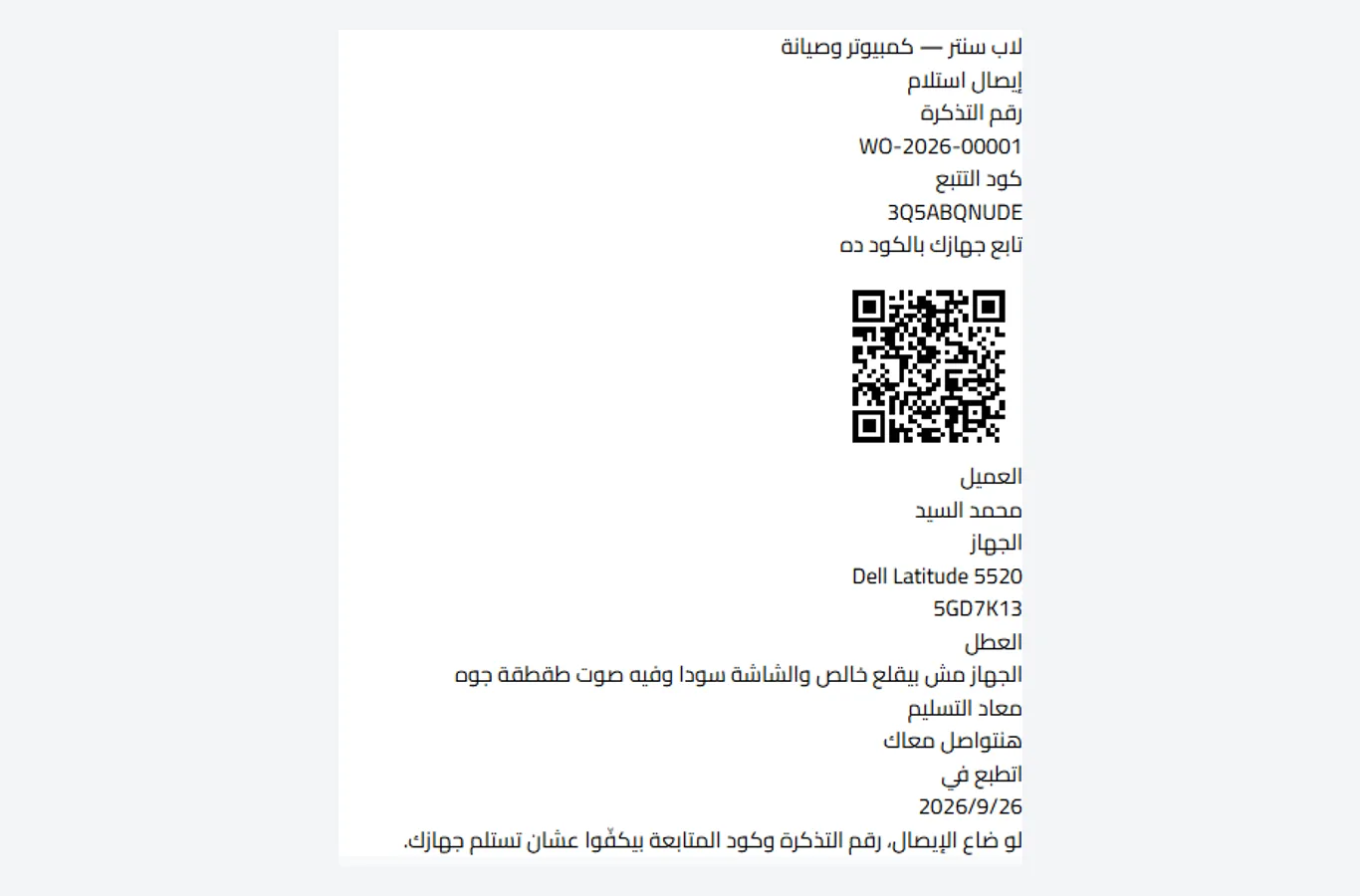
A public tracking page where the customer enters the ticket code and phone number to see where the device stands — no phone calls. The printed intake receipt carries a QR code leading to the same page.
From signup to first invoice
Register your store
Pick the computer-repair setup and the electronics shop and the workshop tools turn on together.
List your devices and parts
Upload products with their spec tables and set each device as new or used.
Open your first repair ticket
Take in the device and its complaint, share the quote link for approval, then issue the invoice.
Questions shop owners ask
How do customers pay for online orders?
Cash on delivery only at this stage — no online payment collection.
Does the system message customers automatically?
No. You share the quote link and the tracking page with your customer however you prefer — a WhatsApp message or any channel — with nothing sent automatically by the system.
Does the catalog fit devices and parts?
Yes — electronics products carry a spec table (processor, memory, storage, screen) with range filters, plus new or used device condition.
Can I issue an invoice from a repair ticket?
Yes — a sequentially numbered invoice issues straight from the ticket, with reports for sales and repair outcomes in the dashboard.
How is the device unlock code stored?
Encrypted. It appears only on request, and every reveal is written to a separate log under the name of whoever opened it — customer phone numbers are masked on screen.
Start your computer and repair shop
Device and parts sales plus repair management in one system.
The workshop tools do not yet include warranty tracking, point of sale, or online payment collection.